The crew knows where to go. You know they got there.
A job site is a pin, a geofence and the dates it is active. A shift carries a route through one or more of them. The crew checks in at each door from their phone, and the check-in is what your timesheets, dispatch and invoices are built on.
Job sites and routes come with shift scheduling on Professional and up; switch them on from Locations.
Three steps. Zero new habits.
Add the site
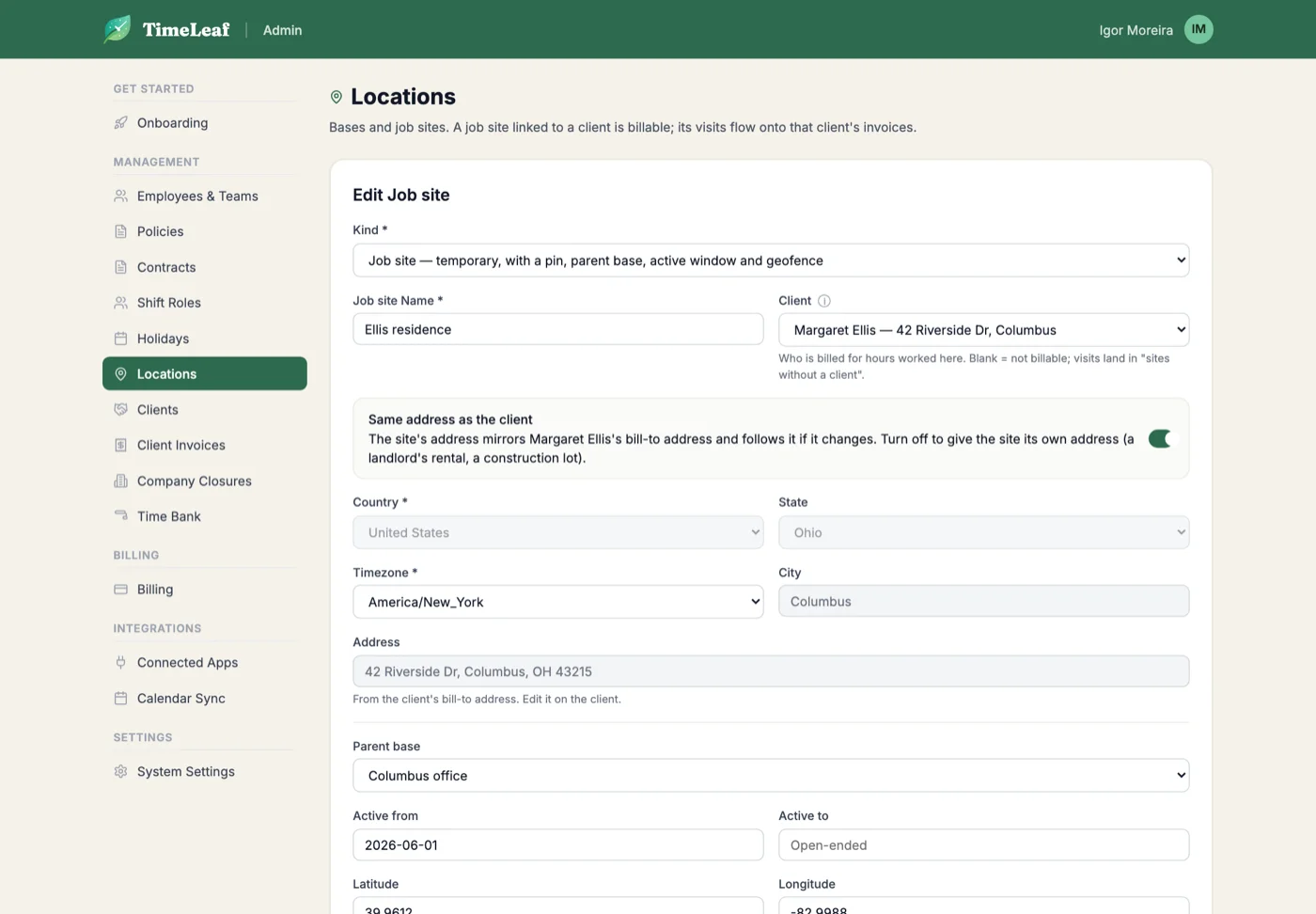
Name, address, pin, geofence radius and an active window. Link it to the client who is billed for work there, and mirror their address with one switch.
Route the shift
A shift is a route: one stop for a patient’s home, several for a service run. The dispatcher sees who is nearest to the first stop before assigning.
Check in at the door
The crew checks in and out of each stop from their phone. A tap far from the pin is flagged for the manager, never rewritten. The visit becomes the evidence on the invoice.
Everything in the box.
- Temporary job sites with active windows
- Pin and geofence radius per site
- Parent base, so bases and sites stay distinct
- Routes with several stops per shift
- Check-in and check-out at each stop, with GPS distance
- Dispatcher sees who is nearest to the site
- Site linked to the client it is billed to
- New client and site: customer and site created in one step
See also: Shifts · Timesheets · Invoicing
The owner works too. Plan the day from your phone.
Plan jobs from your phone
Open Schedule on your phone, see the week day by day, and tap Book a job. Pick the customer, the day, the start time and how long: one hour, two, half a day or a full day.
Set days, set hours, named people
Repeat a job every week on the days you choose, until a last day. Name who is going, and see who is free or busy before you book. A job with a place nobody holds yet shows as needing someone.
Your crew can book too
Turn on Workers and jobs and your crew sees their team’s jobs, books for themselves and their team, and adds customers from their phone. They cannot override a scheduling rule, and they see a teammate only as free or busy.
Check in at the site
On the day, each person opens the job, taps Directions or Call, reads the note for the crew and checks in from the customer’s door.
Included with shift scheduling on Professional and up. The customer is the job site, so there is no second customer list to keep.
Your first route this week.
Add a site, put it on a shift, hand the crew the phone. The check-ins do the rest.
Start free trial14-day free trial · Live in 30 minutes