Bill every hour you already tracked.
Your team clocks in, checks in at the client's door, and you approve the week. TimeLeaf turns that into the invoice, with the visits behind every hour, so Friday afternoon stops being a spreadsheet.
$49/month flat on every plan from Professional up.
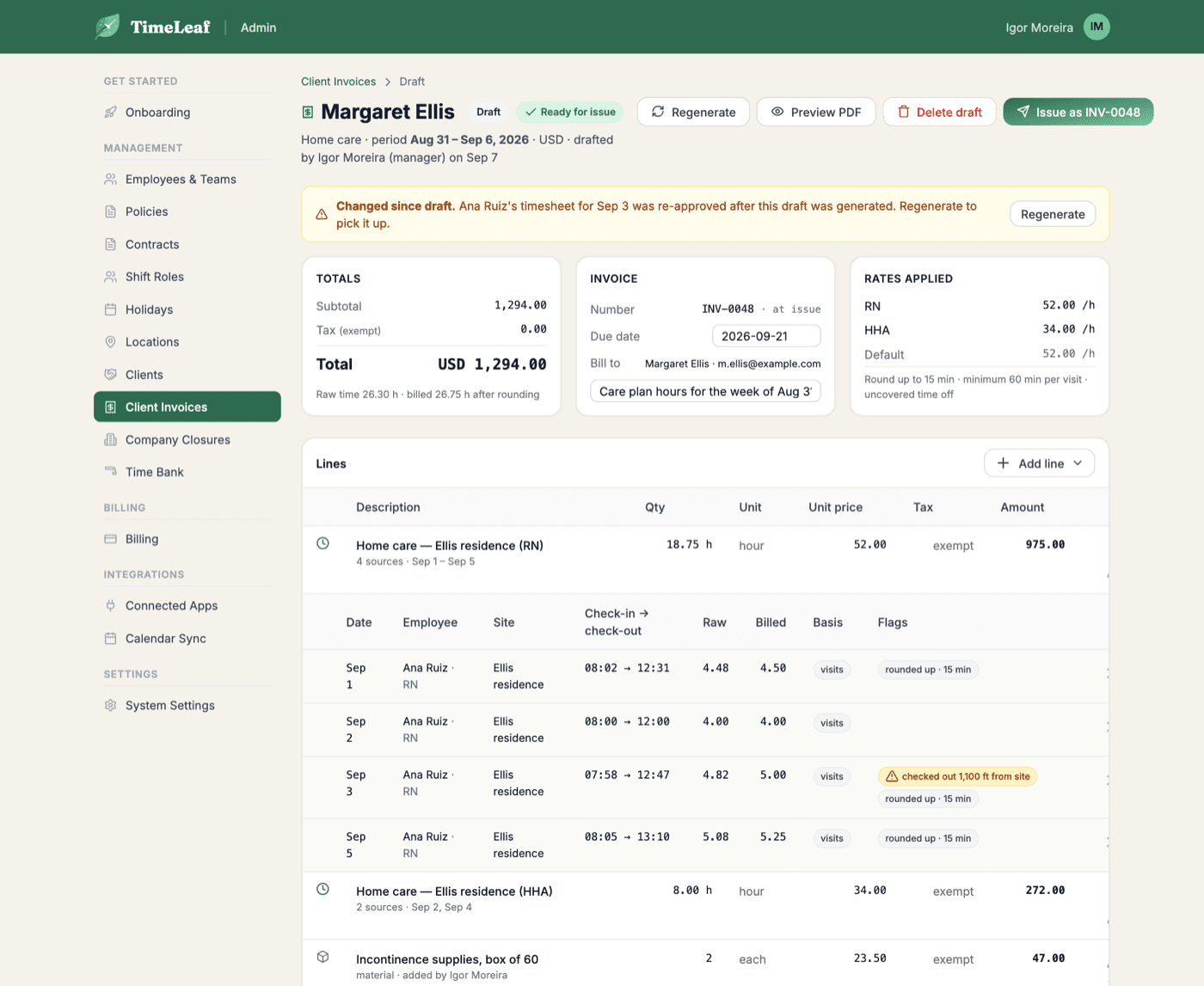
Four steps. The numbers are already right.
Approve the week
Timesheets are approved the way they are today. Only approved hours can ever be billed, and billing never touches pay.
Open the draft
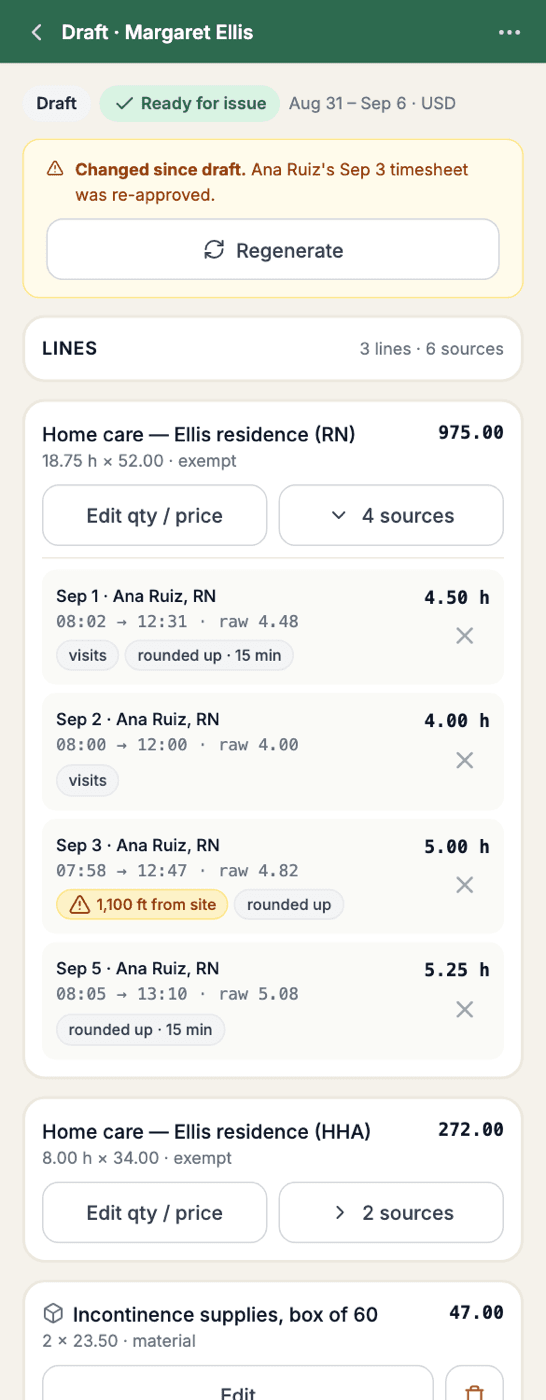
Every hour is matched to the client’s site through the check-in at the door. Rates, rounding and minimums come from the client’s settings.
Review, then issue
Anything the rules left off is listed with a reason: no visit, no shift, time between visits, on call. Nothing is billed silently, nothing is dropped silently.
Send, sync, get paid
Email the PDF, text a link, push to QuickBooks or Xero, and take card or wallet payments through Stripe straight into your own account.
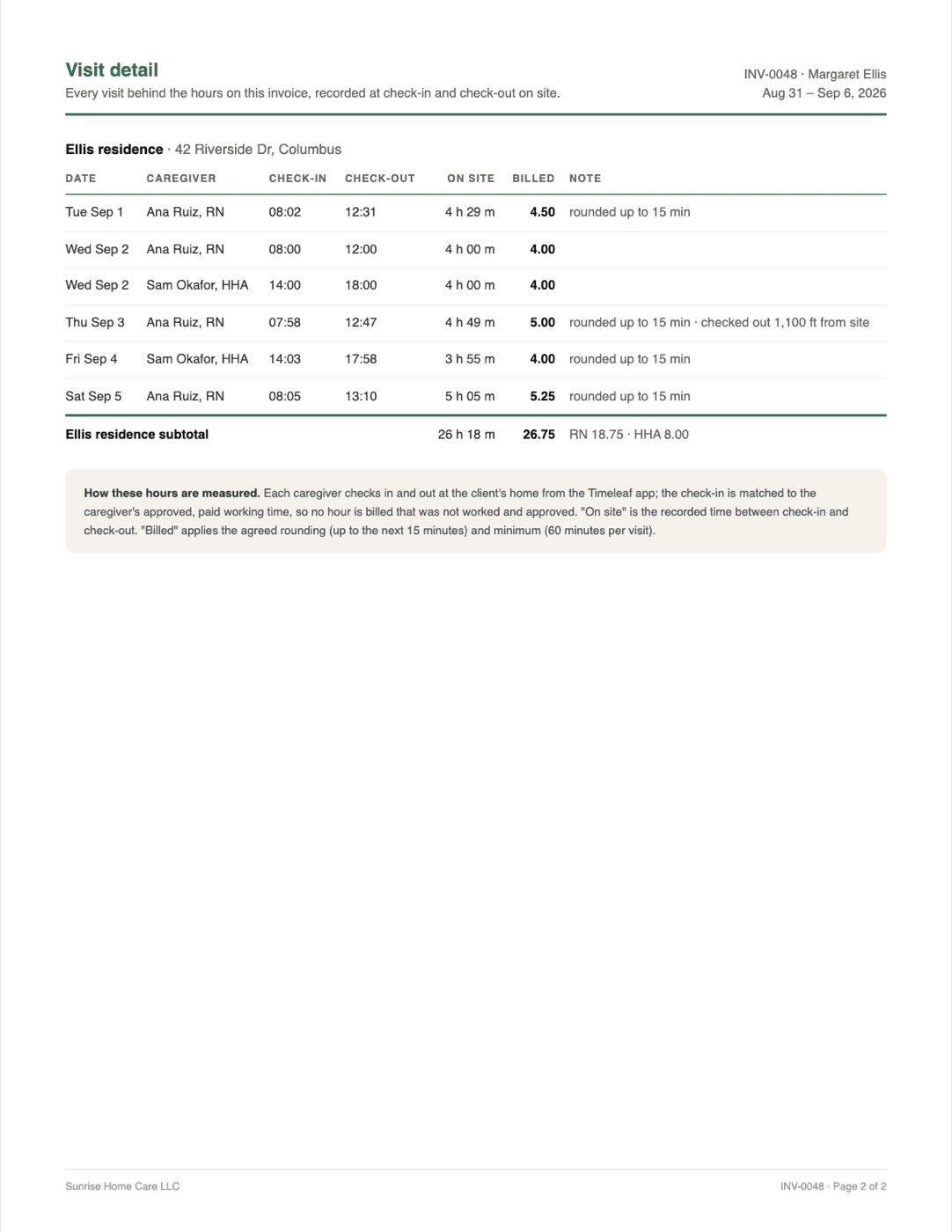
An invoice the payer can audit.
Families, agencies and insurers ask the same question: which days did the nurse come, and for how long? Page two of every invoice answers it from the check-in at the door, not from memory on Friday.
- One invoice per client, per week, from approved hours
- Nurse and aide billed at their own rates on the same shift
- Visit log on page two: who came, when they arrived and left
- Per-client rounding, minimum visit length, and what to do with time between visits
One job, one invoice, from the truck.
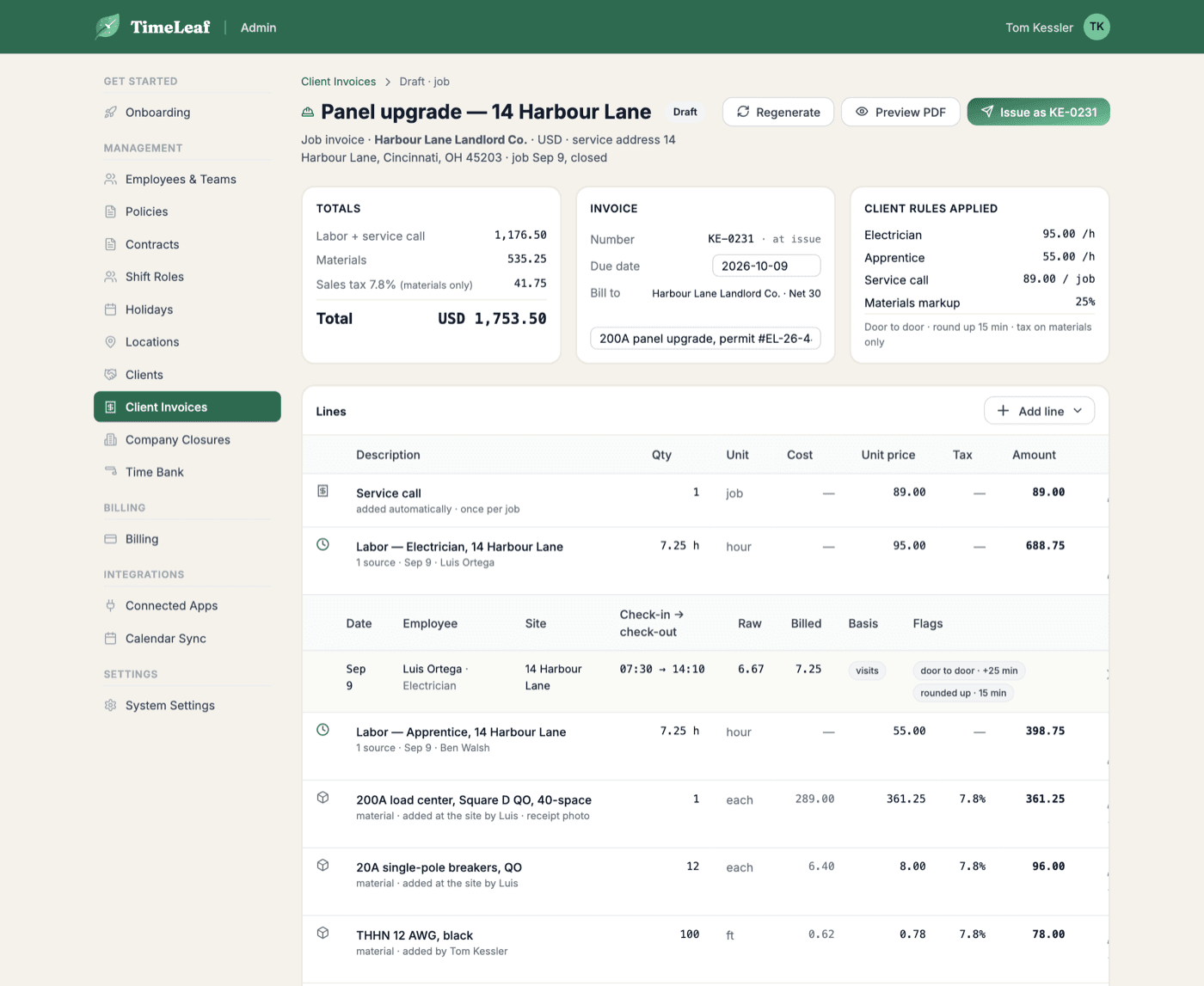
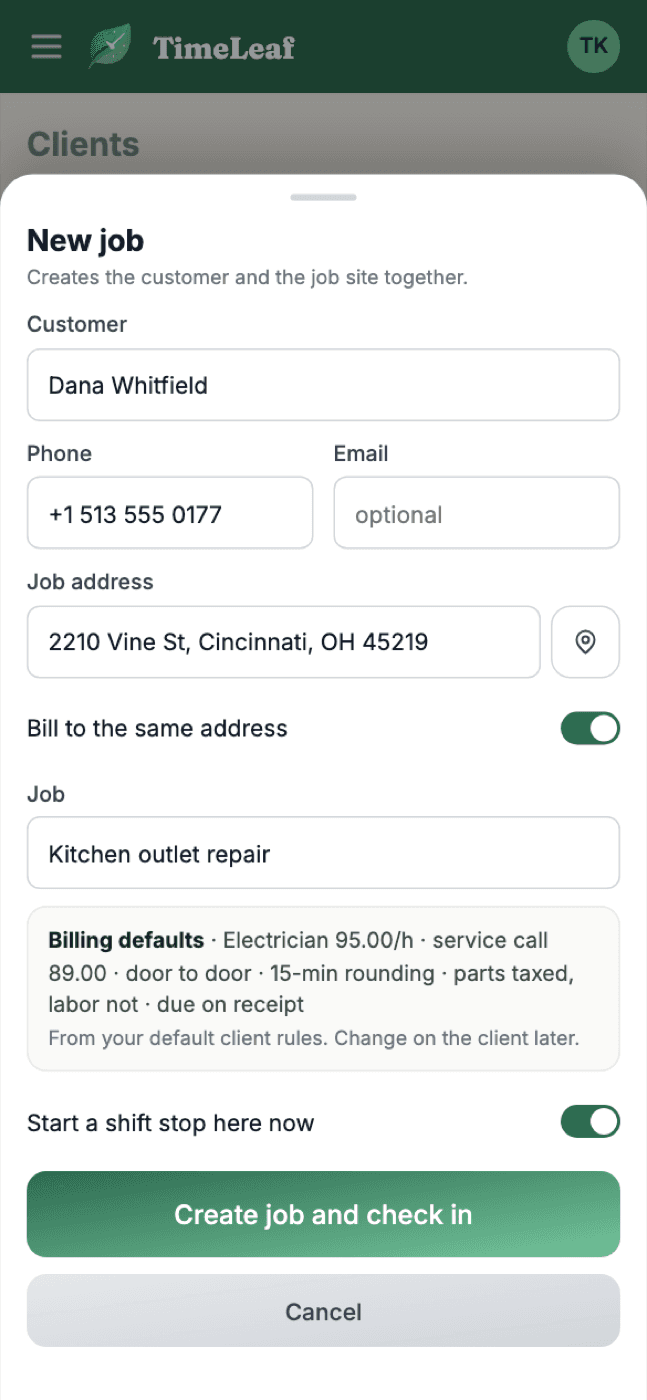
Create the customer and the job site in one step before you ring the bell. Hours come from the crew's check-ins, parts are priced from your cost plus markup, and the invoice is ready before you leave the driveway.
- One invoice per job, created at the door for a one-off customer
- Service-call fee, door-to-door time, parts at cost plus markup with the receipt photo attached
- Parts taxed, labor not, per client
- Your license number and the service address on every invoice
You never have to go looking.
Alerts and a digest
Pick who hears about invoices: paid, overdue, voided, a draft marked ready. Plus a Monday summary of what is outstanding and what is still unbilled.
Everything on the phone
Review a draft, fix a line, add a part, issue and send from the driveway. Managers prepare drafts; owners issue.
QuickBooks and Xero
Push issued invoices to your books and pull paid status back. Recurring drafts land every week, waiting for review.
Get paid online
A pay link on the PDF and the text. Card or wallet through Stripe, Apple Pay and Google Pay where enabled, paid directly to your account.
Quote it first. Let the invoice follow.
Send a quote your client accepts with a code sent to their email, invoice a deposit, and bill the rest in stages. The final invoice subtracts what was already invoiced.
See Quotes →Your first invoice this Monday.
Add a client, link their site, approve the week. Fourteen-day free trial on every plan; switch Client Invoicing on from Billing when you are ready.
Start free trial$49/month flat on every plan from Professional up.